Claims Module
Apply, Approve & Reimburse Without The Back-And-Forth
Worksy’s Claims Module turns messy claims into a clean, trackable flow. Set clear limits, control approvals, and link everything to payroll — without paper forms or WhatsApp receipts.
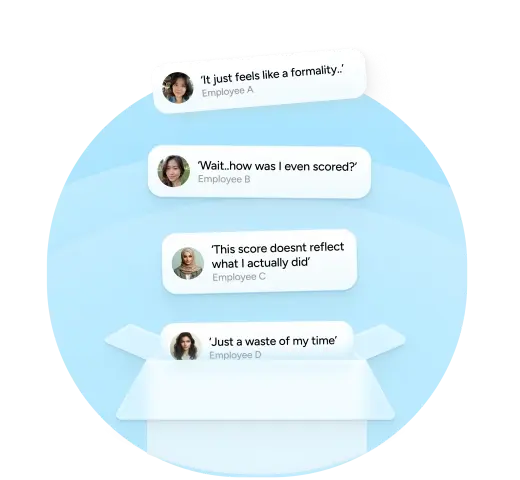
Challenges in Claims Management
- Employees aren't familiar with the organization's claim policy
- HR and Finance wastes time chasing physical receipts from employees
- No streamlined tracking or reporting tools for claim submissions
Claims Should Be Simple Instead of a Monthly Mystery
When claim systems break down:
- Finance loses control of budgets, HR becomes a help centre for claim disputes
- Managers selectively approve claims, employees are left feeling shortchanged

Meet Worksy’s Claims Features
Everything you need to manage expenses without losing visibility or control.

Policy-Based Entitlements
Set claim limits by role, department, project, or employee level. Assign fixed monthly caps or event-based rules.
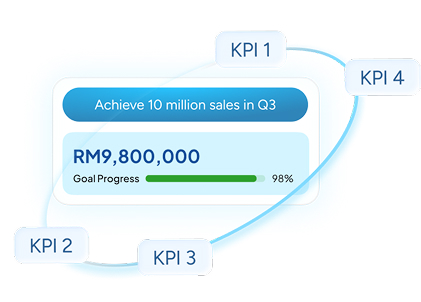
Setup Custom Approval Workflows
Route claims through a custom approval workflow with built-in audit trails.
Upload Attachments
No more scanning receipts or email threads. Instead, snap and upload receipt images or files via mobile.
Auto-Syncs with Payroll
No more manual payroll entries. Approved claims will automatically reflect in the next payroll.
Business Analytics
Track total claims by department, role, cost centre, or employee. Identify overspending and improve forecast accuracy.

No More Lost Claims or Delays
Worksy streamlines and simplifies Claims.
- Clearly defined policies reduces back-and-forth
- Seamless reimbursement process = employee satisfaction
- Finance gains full visibility, HR is no longer caught in between
Experience Worksy’s Claims Workflow
From application to payroll, without a spreadsheet in sight
Mobile Claims Access
Fast, Paperless, Simple Mobile Claims.
- Snap and submit claim requests with remarks
- Track progress updates in real-time
- Instant notification of approval or rejection
Loved by HR Teams Across Malaysia

"The Worksy team always find ways to match our needs and solve the problems we face. I really appreciate the Worksy team for making the change of HR system to our company a success and i would recommencd it to anyone that is considering to implement a complete HR system."
Jasmin Chuah
HR Department | Apex Ceramic Gallery Sdn. Bhd.
"The Worksy team always find ways to match our needs and solve the problems we face. I really appreciate the Worksy team for making the change of HR system to our company a success and i would recommencd it to anyone that is considering to implement a complete HR system."
Nurzurianeka Binti Razak (Assisstant Manager)
Blessing PU Engineering Sdn. Bhd.

"Throughout the project, Lightman team have shown professionalism and the system provided able to meet our expectation. Just tell them your company policy and they will try their best to build this system according to your policy. I am very happy to find this system."
Nuraini Binti Abu Hassan
HR & Admin Executive | Chenang Clinic

"Throughout the project, Lightman team especially Siew Ling have shown professionalism and the system provided able to meet our expectation."
Norhayati Binti Basir
Sr HR & Admin Executive | Ferco Seating Systems (M) Sdn. Bhd.

"Throughout the project, Anis and team have shown professionalism and the system provided able to meet our expectation. She is helpful and always provide guidance and solution to us.We would recommend Lightman Consulting to any company that is looking for system that can enhance their HR processes."
Lim Hong Seng
Managing Director | GL Bosum Diamond Tools (M) Sdn. Bhd.

"We thoroughly appreciated the professionalism and the support system shown by the team members from Lightman. We definitely recommend HCM to all companies, small and big. The value and benefits truly worth it."
Vanessa Chong
HR Manager | Jayagas Petroleum Products Sdn. Bhd.

"Throughout the project, Lightman team have shown professionalism and the system provided able to meet our expectation as what we required."
Izureen Aina Binti Sharilanuar
Admin Cum HR| Niase Sdn. Bhd.

"We felt the HCM solution has changed the way our company approaches our daily HR processes, in a positive & impactful manner, and we feel hopeful for our future collaboration."
Joanna Tan Tshing Tshing
Group Human Resource Manager| Perpetual Memorial Park Berhad
"Worksy can solve half the amount of my manual method in term of payroll, which reduced my workload and time.
We are truly grateful by the level of commitment delivered by your team. It has been an honor to be associated with Lightman."
Carson Loh
HR Department | BV Ventures Management Sdn. Bhd.
Frequently Asked Questions
- Can we set different limits for different roles or projects?
Yes. Claim limits can be configured by role, department, project, or claim type—so Finance doesn’t get surprised at month end.
- Can employees submit claims from their phone?
Yes. Employees can submit claims via mobile browser, upload receipts, and track approval status on the go.
- What file types can be uploaded?
Common formats are supported, including JPG, PNG, and PDF—basically whatever your receipt scanner spits out.
- Can approved claims be synced with payroll?
Yes. Approved claims can be pushed directly into payroll for reimbursement, eliminating manual re-entry.
- Can we export data for finance reporting?
Yes. Claim data can be exported for finance and audit purposes, including summaries and detailed transaction records.