Worksy for Enterprise
Enterprise Grade HR Management Solution


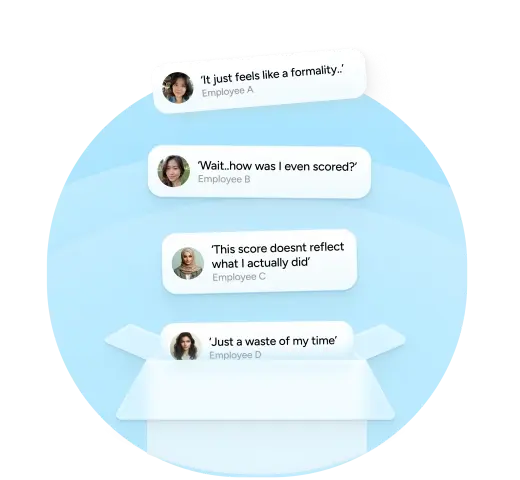
Challenges in Enterprise HR
Running HR for 200+ staff across departments, locations, and approval hierarchies shouldn’t feel like herding cats.
But most HR tools:
- Struggle with multi-level approvals
- Can’t support cross-entity teams
- Has limited features with many clicks
- Doesn’t allow you to customise
- Offer poor visibility to leadership
You’re left managing workarounds, Excel trackers, and a dozen “this one’s urgent” WhatsApp messages.
Outgrown the SME Tools
You’ve outgrown the SME tools — but enterprise HRMS platforms are either:
- Too rigid for your internal SOPs
- Painfully complex to implement
- Designed for Western org structures — not Malaysian realities
And when appraisals are misaligned, leave policies are inconsistent, and payroll exceptions keep slipping through the cracks.
Your HR team isn’t just overworked — it’s invisible.
Worksy gives Enterprise HR teams what they’ve been asking for

Multi-Level Approvals
Entity-Specific Configurations
Custom Access Control
Fully Audit-Ready
Centralised Reporting
Using Worksy Unlocks Outcomes
Loved by HR Teams Across Malaysia









Frequently Asked Questions
- Can Worksy handle multiple entities or subsidiaries under one group?
Yes. Worksy supports multi-entity setups (parent company + subsidiaries) under one group structure, so you can:
-
Keep separate company settings (policies, payroll rules, leave types, public holidays)
-
Run consolidated reporting at group level (headcount, attendance trends, cost summaries)
-
Control who sees what across entities (HQ can view all, subsidiaries only their own)
If you’re running shared services (HR/Payroll at HQ), this is basically the whole point.
-
- What kind of approval workflows can we configure?
Worksy supports configurable approval flows for common HR actions (leave, claims, overtime, attendance edits, etc.). Typical options include:
-
Single-step (Employee → Manager)
-
Multi-step (Employee → Manager → HR → Finance)
-
Conditional routing (e.g., amounts over RM X go to Finance; special leave goes to HR)
-
Delegation / backup approvers (when approver is on leave)
-
Role-based approvals (not tied to one named person, so workflows don’t break when staff resign)
If your approvals currently live in WhatsApp and prayer, this will feel like civilisation.
-
- How does Worksy ensure compliance with Malaysian regulations?
Worksy is designed with Malaysian HR realities in mind, including:
-
Policy-based enforcement (leave, overtime, attendance rules, probation, entitlement rules as configured by your company)
-
Audit trails for approvals and changes (who changed what, when, and why)
-
Data controls (access restriction + retention/export support for HR documentation)
Important (and honest): software can support compliance, but it can’t magically make bad HR policy legal. You still set your rules; Worksy helps you enforce them consistently and prove it happened.
-
- Can we restrict access by department, region, or role?
Yes. Worksy supports granular access controls so you can segment by:
-
Department (e.g., Sales HRBP only sees Sales)
-
Region / branch / location (useful for multi-state ops)
-
Role (Employee, Manager, HR, Payroll, Finance, Admin)
-
Entity/subsidiary (if you’re running a group structure)
Result: managers don’t “accidentally” browse payroll data like it’s Instagram.
-
- We already have some systems in place. Can Worksy integrate?
Usually yes — depending on what you have and how modern it is.
Common integration paths:-
Data import/export via CSV/Excel for initial sync and ongoing updates
-
API-based integration (if your existing system supports APIs)
-
Typical targets: accounting/payroll providers, biometric/attendance devices, ERP, or custom internal systems
If the current system is “a legacy database + someone’s cousin’s Access file,” we can still work with it — just expect more elbow grease.
-
- Do you offer migration service?
Yes. Migration can include:
-
Importing employee profiles, org structure, job history
-
Carrying over leave balances, entitlements, and policy setup
-
Bringing in historical attendance/leave records (where feasible)
-
Validation checks to avoid garbage-in-garbage-out
Most migrations fail because the old data is messy, not because the new system is. We’ll tell you upfront what’s clean, what’s risky, and what needs manual decisions.
-